 Jeremy Neely
Text Jeremy
Jeremy Neely
Text Jeremy
AI & Agents · Beta
CAD Drawing Index
Lets staff ask their AI assistant what is inside AutoCAD drawings.
Built for: A manufacturing and wholesale company with its own engineering and drafting staff
The problem
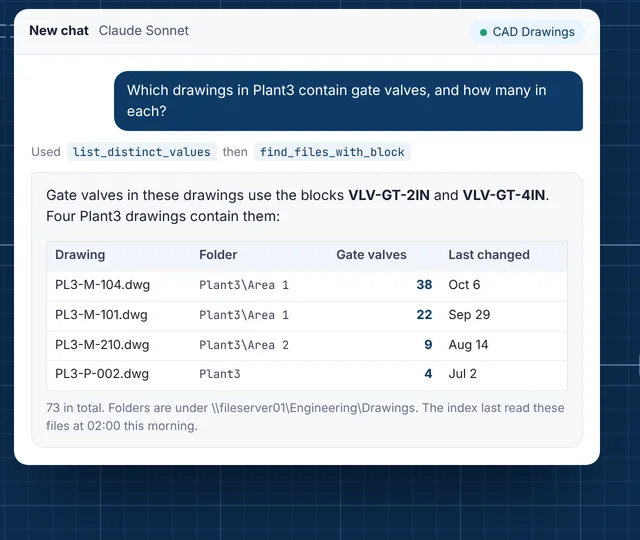
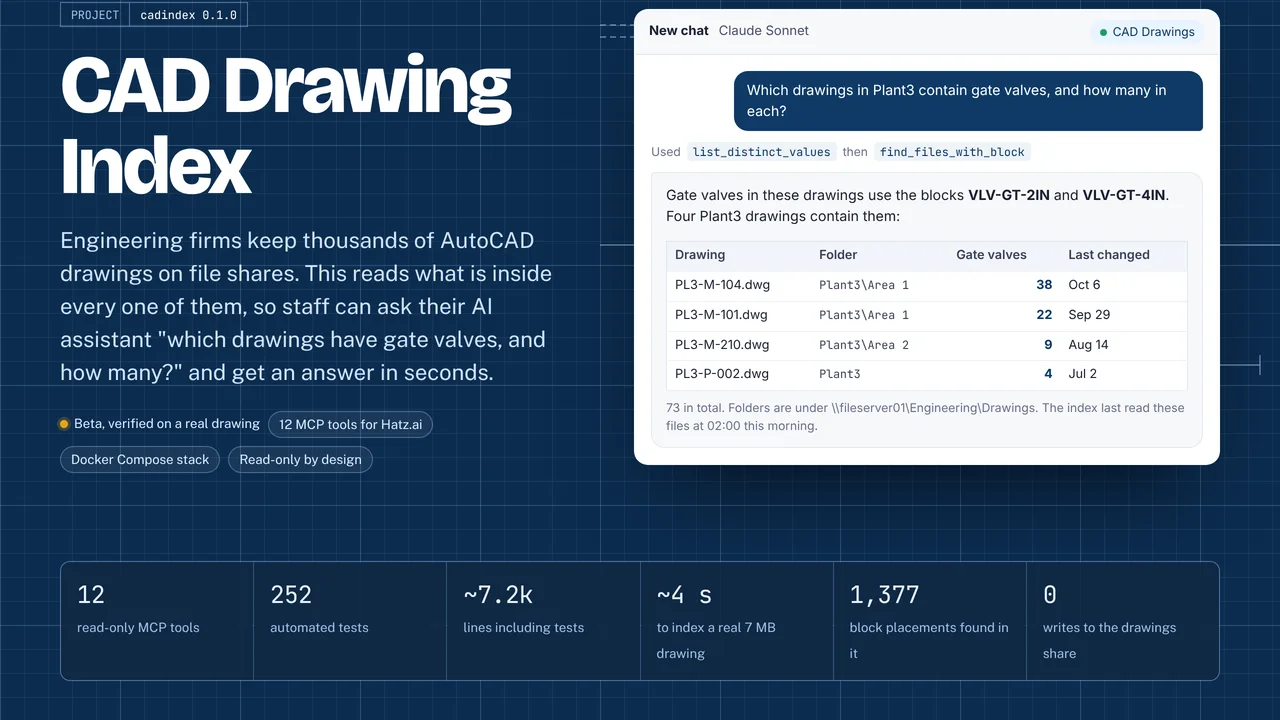
The client's AI platform could find CAD files by name and date but could not see inside a drawing. Questions like "where is this tag shown?" or "count every fixture type in this building" meant opening drawings one at a time in AutoCAD.
What I built
I built an indexer that reads every .dwg and .dxf file on the file share, extracts blocks, quantities, attributes, layers and text into a database, and rescans changed files nightly. A read-only MCP server gives the client's AI assistant 12 query tools, so staff can ask plain-English questions and get counts and file paths in seconds.
How it works
- Crawl the drawings share with a read-only account.
- Convert and read each drawing's blocks, attributes, layers and text.
- Store it in MariaDB with each file's original path.
- Rescan only new or changed drawings every night.
- Answer the AI assistant's questions through 12 read-only MCP tools.
Built with
- Python
- ezdxf
- MariaDB
- MCP Python SDK
- Docker Compose
- Hatz AI
More of Jeremy's work
Web Apps & Dashboards
Security & Compliance
Documents & OCR
- OCR WatchReads handwritten parts sheets on the PC and flags only uncertain entries.
- AME-XDOCMoves hundreds of Word documents to a new template, and checks itself.
- Meeting Executive Summary EmailA 30-second meeting summary page, with the detail one click away.
- OCR Review StudioUpload a scan, check OCR line by line, tune it, export Markdown.
AI & Agents
- AME MCP ServerOne governed doorway between AI assistants and business systems.
- Secure AI Hatz TipsFact-checked how-to answers inside the AI chat customers already use.
- Hatz User WatchWarns admins before any person runs out of AI credits.
- AI Hours TrackerAI interviews staff and writes up each AI time-saving win for leadership.
- Meeting Summary BuilderTurns a Teams or Zoom transcript into a branded Word meeting summary.
- Hatz Usage WatchTray app that tracks every Hatz AI client's monthly credit use and warns early.
- Secure AI for ExcelChat with any Hatz AI model inside Excel and let it do the work.
- TokenXMeasures what each Hatz AI model really costs, then helps people choose.
- FollowUp AITracks sent emails still waiting on a reply and helps close them.
- localzeroInbox-zero triage for Outlook Classic, run locally with Claude.
- Secure AI Advanced ChatSaved-prompt workspaces for Claude through the Hatz AI gateway.
- Hatz Admin ToolkitAdmin tools for moving users and bulk-assigning roles in Hatz AI.
- Secure AI Process MapThe 90-day Secure AI onboarding program on one clickable page.
Desktop Apps
- MDViewA portable Markdown reader and editor for Windows, one file, no install.
- CommCentralTeams, Outlook, calendar, inbox KPIs and an AI assistant in one window.
- N-ToolsOne portable Windows toolkit to diagnose, repair and document a PC.
- TicketNotesTime tracker that drafts Q360 timebill notes with AI.
- Activity LogRecords your workday and turns any time range into a ticket write-up.
- PriorityNotifyVIP emails and Teams chats that break through meetings and mute.
- MeetingRemindMeeting reminders that check you actually joined the call.
- MyDashA self-building launcher for every tool in a scripts folder.
- AppWatcherKeeps important tray apps running and alerts when they keep failing.